


EasyChair Accounts
EasyChair account system is simple and straight forward.
To reach your account settings:
- Go to the EasyChair section in your main menu (this is always the last section).
- Select My account from the dropdown list.
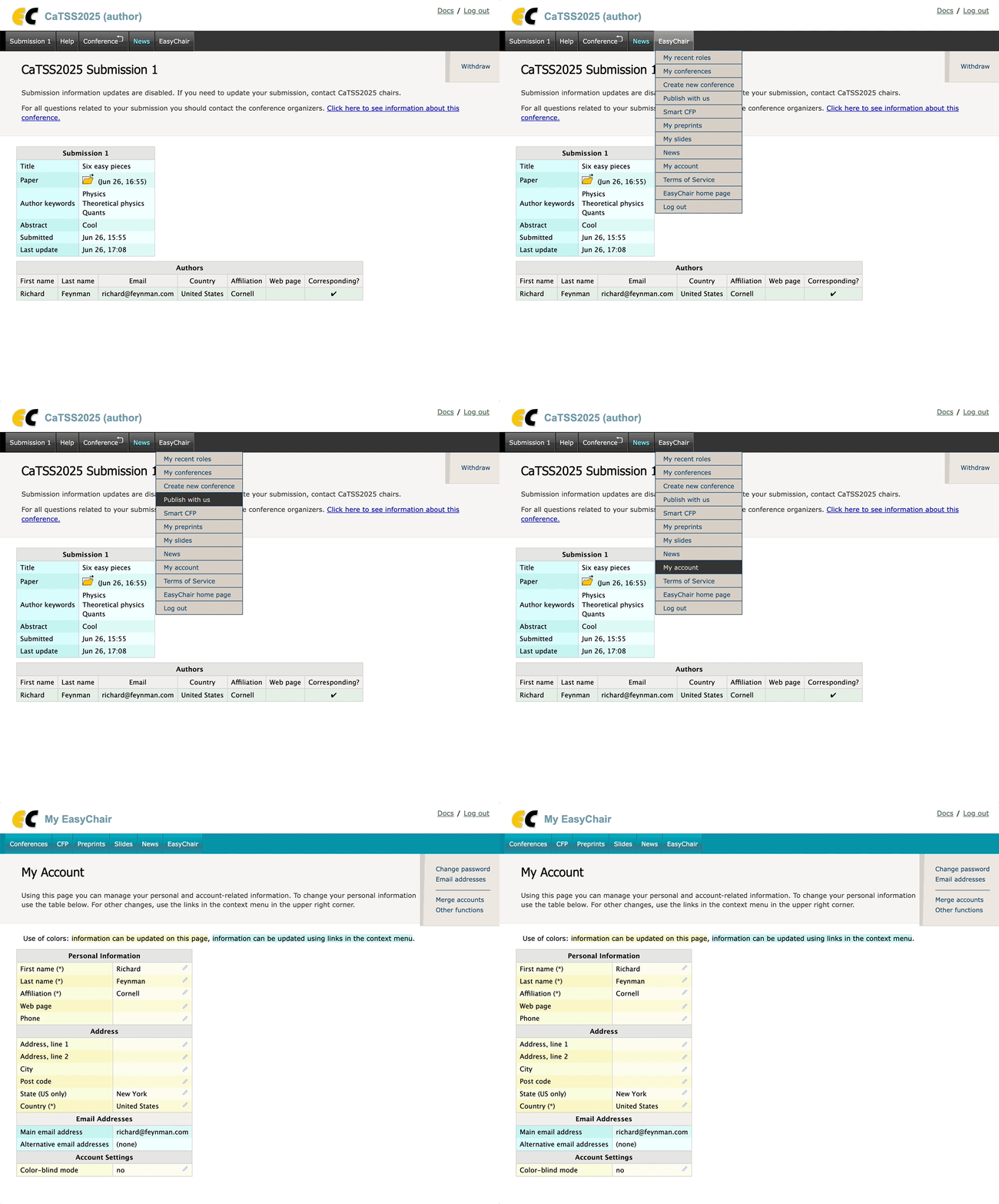
In the My account area, you can:
- Update your personal information (such as your name and email)
- Change your password
- Enable accessibility features, including color-blind mode
- Manage other account-related settings
For more details about available features, please refer to our dedicated help articles.